


.png)






REFERRAL LETTERS
EMIS eRS Referrals Guidelines.
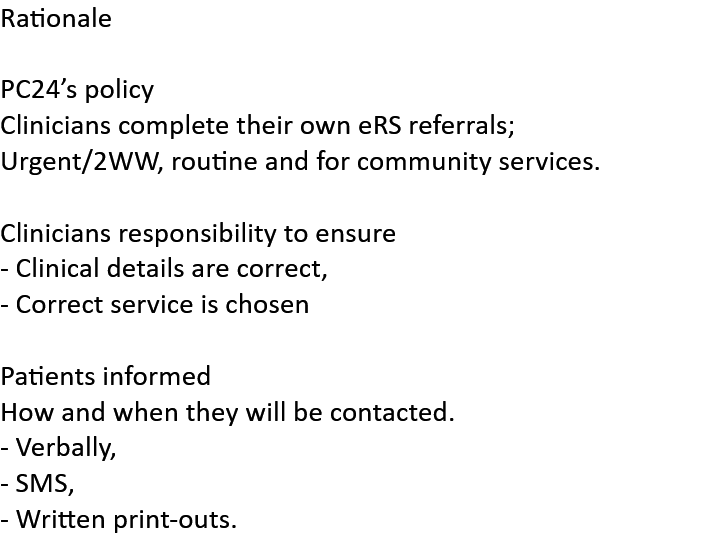
Admin Team Responsibilities.
To ensure a safe patient journey
A belt and braces approach to all referrals made in primary care.
Clinicians will complete all eRS referrals and
Ensure the practice has a record of all 2WWs made so a register is kept.
Rejected Referrals
In addition, each practice and within the primary care hub,
will have a nominated person that will check the eRS platform weekly for rejected referrals.
Such rejected referrals will be booked back in ideally with the referring clinician
or another clinician as soon as identified.
This is to ensure any potential delays that could have an adverse effect on patient outcome
are managed effectively and efficiently.
This person will act as the eRS Guardian.
|
1. Patient’s consultation notes are completed and saved. |
|
|
2. Select “Document”, then “create letter”. 3. A pop-up box will display. On the magnifying glass type, “2WW”. The list of all the 2WW templates will be displayed. Select required template.
|
|
|
4. Complete the template, LINK the relevant clinical entry to the template if you have completed and saved it. “Save and Close”. The saved template: enters the patients record with a paper-clip symbol.
|
|
|
EMIS eRS website |
|
|
NHS E Referral 1. Select “Referal”, 2. then “NHS e-Referral”, 3. then select “2 week rule”
|
A&Gcan be found by selecting eRSdrop down that is found on the top LHS of the screen “*Request type” . Selecting “Advice”
|
|
4. Drop down select "Speciality" 5. Drop down select “2ww”, 6. Click “Select All” ( Bottom right of screen)
|
|
|
Service Selection screen. 7. Select the appropriate clinic click on “Request”, ( Bottom right of screen), then “Continue with selected services”
|
|
|
8. “Check the details before you submit”. Select “Submit” (Bottom LHS of screen).
|
|
|
9. “please select an action” – (Drop down,bottom of the screen ) select “I have selected a service”, then click “ok”.
|
|
|
10. Pop-up box: On “Clinical term”, type the relevant clinic term, eg, “Fast-track lower GI” clicking on the magnifying box then clicking “Ok”. Click “Ok” again at the bottom of the pop-up box.
|
|
|
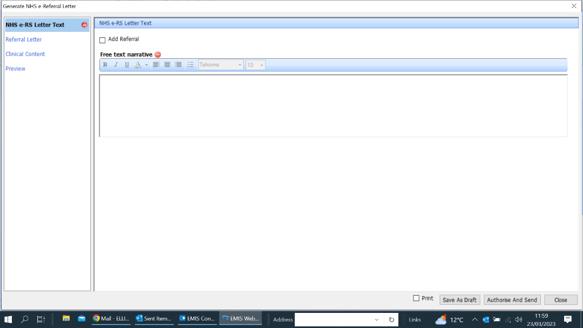
ADDING INFORMATION Screen1. Add a letterPlease ensure an appropriate letter outlining the reasons for referral/presenting complaint etc is outlined here, eg: “Dear Doctor, thanks for seeing this patient with XXX, I suspect they may have XXX. Please see attached result. Kind regards, Dr. G.P”.
|
|
|
2. Add the templateSelect “Clinical Content” to attach the template (No completed template can result in a rejection of the referral)
|
|
|
3. Add the consultAttach relevant consultations, investigations and relevant historic documents etc. |
|
|
4. Select “Authorise and send” ( Bottom RHS) >> The end |
|
2 Week Wait (2WW) referral
Urgent / Routine referrals,
Same process,
A pre-filled template is not required.
The Advice and Guidance (A&G) facility available on eRS provides primary care with access to specialist clinical advice and avoids unnecessary outpatient activity.
This digital communication allows the clinician to seek advice from another clinician prior to or instead of referral. Reasons why a clinician may wish to seek advice and guidance include:
• Asking another clinician or specialist for their advice on a treatment plan; • Asking for clarification regarding a patient’s test results; • Seeking advice on the appropriateness of a referral; • Identifying the most clinically appropriate service to refer a patient into.
|
A&G can be found by selecting eRS drop down that is found on the top LHS of the screen “*Request type” . Selecting “Advice”
|
Advice and Guidance
it is good practice to book that patient in for a follow-up phone call 2 weeks later
to review the outcome of any hospital investigation
or possible serious diagnosis,
and offer the patient the appropriate support and advice.
Please ensure the patient has the written clinic instructions
some specialities will contact the patient directly,
some require the patient themselves to call and book.
It is vital the patient has this information